Inscura Player
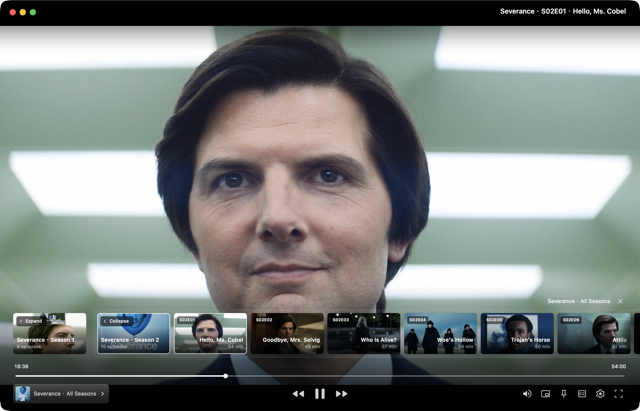
A standalone player for Windows and macOS, with broad format support, HDR/EDR output, and hardware decoding. Dual subtitles, flexible playback controls, and connected playlists keep your next episode within reach.
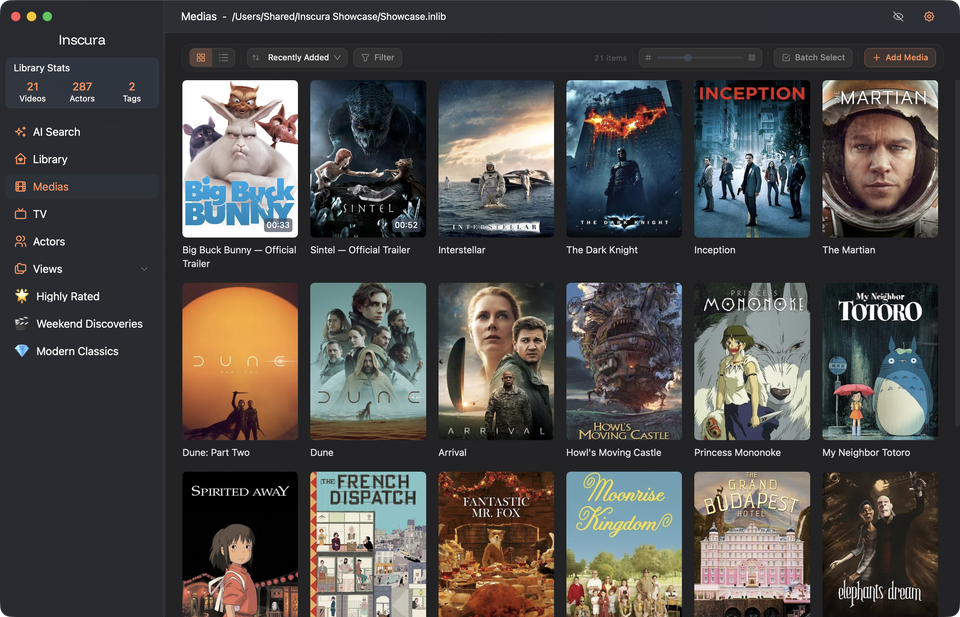
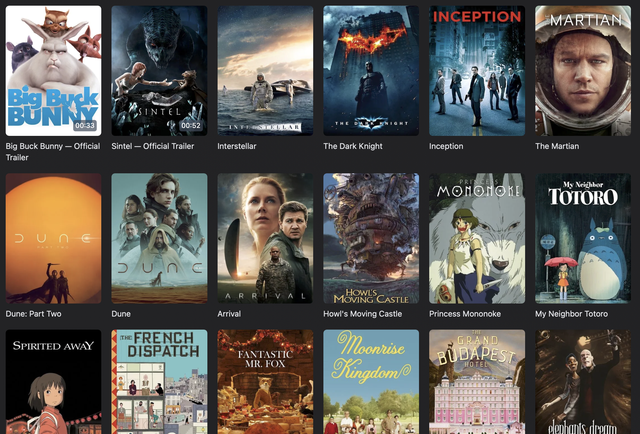
Your personal video collection
Inscura brings your video collection together with posters, cast details, and your own collections. Spend less time looking through folders and more time finding something to watch.
Download for Mac or Windows Choose your version below.
Download for macOS Apple silicon · Version 0.1.0 Download for macOS Intel · Version 0.1.0 Download for Windows 64-bit Intel or AMD · Version 0.1.0For Mac and Windows. Made for the videos you already have.
Features at a glance
Smart metadata scraping, AI search, media playback, quick previews, and custom extensions make organizing, finding, and enjoying media easier.
A standalone player for Windows and macOS, with broad format support, HDR/EDR output, and hardware decoding. Dual subtitles, flexible playback controls, and connected playlists keep your next episode within reach.
A free, fast, built-in scraping service brings together major metadata sources. Enrich your library with posters, synopses, ratings, and cast and crew details.
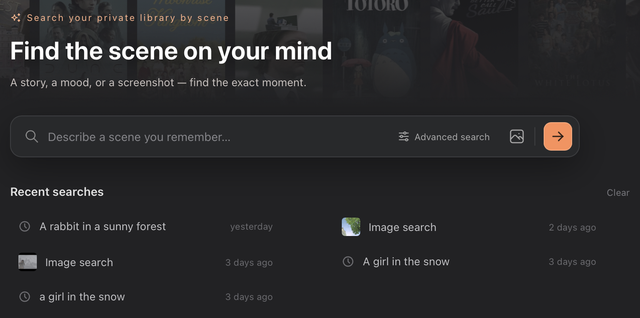
Find media in your library by describing a scene, powered by a specially optimized AI model that runs entirely on your device. Search with an image, too.
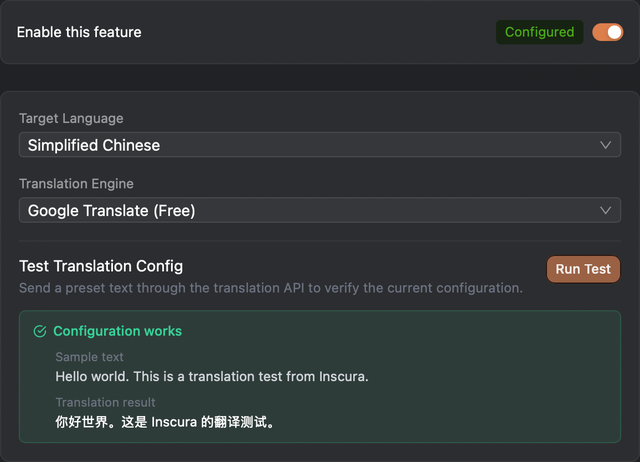
Over 15 translation engines and connection options, from Google and DeepL to AI translation with OpenAI, Claude, and DeepSeek. Read metadata in your preferred language.
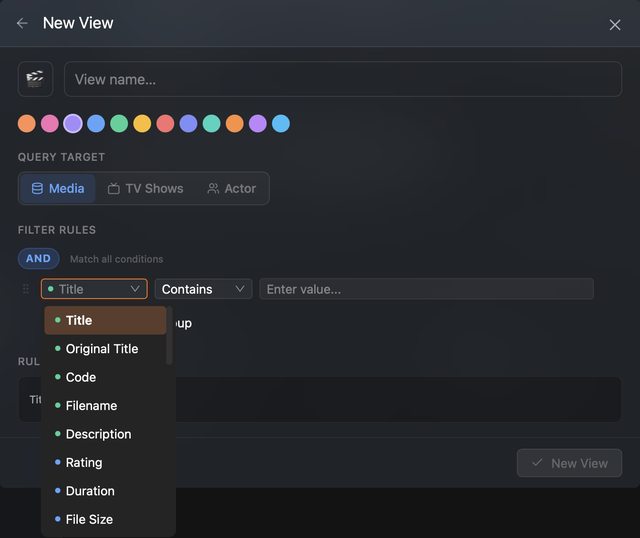
Your collection, your rules. Combine filters for titles, ratings, and more into views that keep matching items together.
Protect access to your library with a password. Privacy Mode blurs media covers to reduce visual exposure in public spaces or while sharing your screen.
Hover over a cover to preview video scenes. Move across it to explore different moments before opening your player.

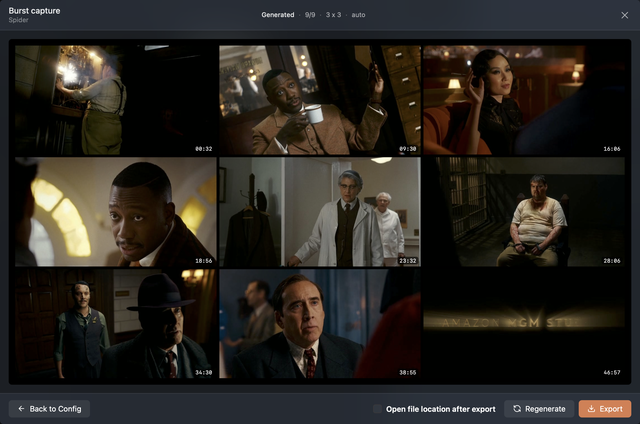
Bring video moments together in one image. Customize the grid, aspect ratio, and information bar, then export your contact sheet.
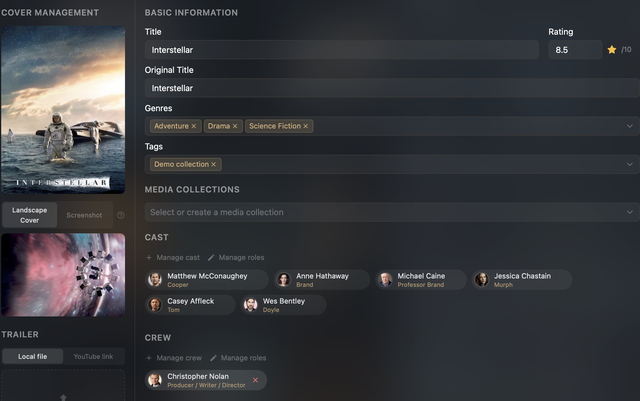
Fine-tune titles, synopses, ratings, artwork, cast and crew, genres, and tags. Add custom fields to make every detail of your library your own.
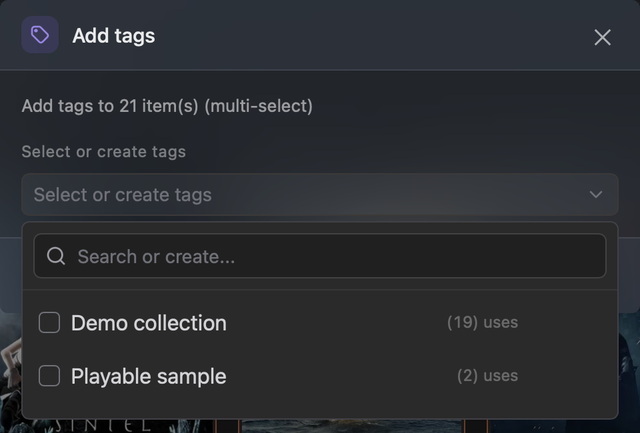
Organize by theme, mood, or watchlist. Create your own tags, apply them in batches, and filter your collection your way.
Give AI your data source documentation or requirements. Our scraper skill helps it quickly create installable plugins for movie, TV, and person metadata.
Get the scraper skill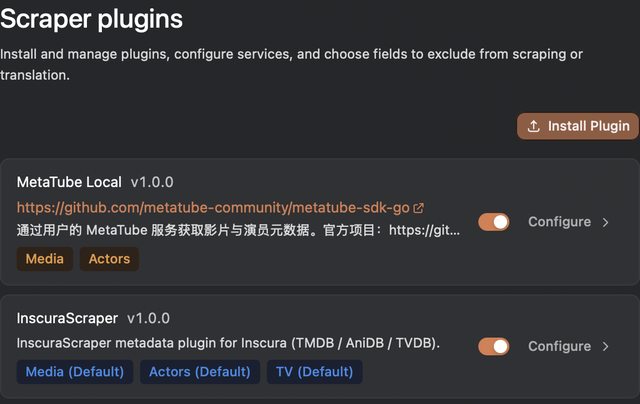
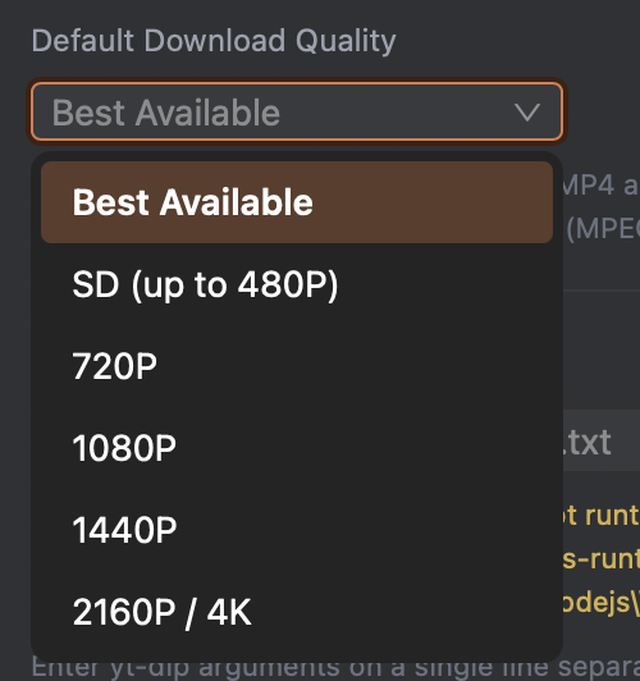
Keep YouTube trailers locally alongside your collection. Choose download quality and follow progress in the task list.
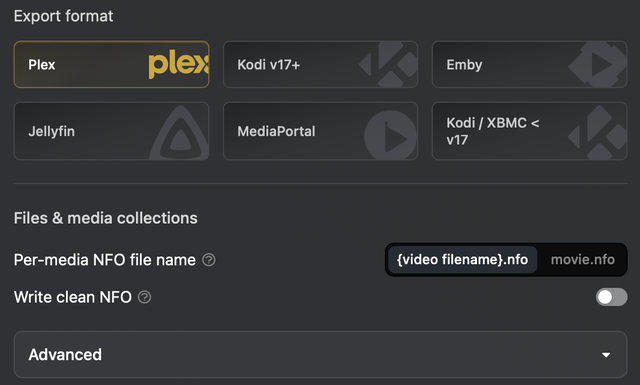
Export movie metadata as NFO with presets for Plex, Kodi, Emby, and Jellyfin. Include local artwork and keep your carefully curated details ready for other media libraries.
Made for your collection
Inscura Player
Inscura Player is a standalone media player for Windows and macOS. It supports common formats including MP4, MKV, MOV, and WebM, plus video codecs such as H.264, HEVC, and AV1. HDR/EDR output, tone mapping, and hardware decoding bring more flexibility to your viewing setup.
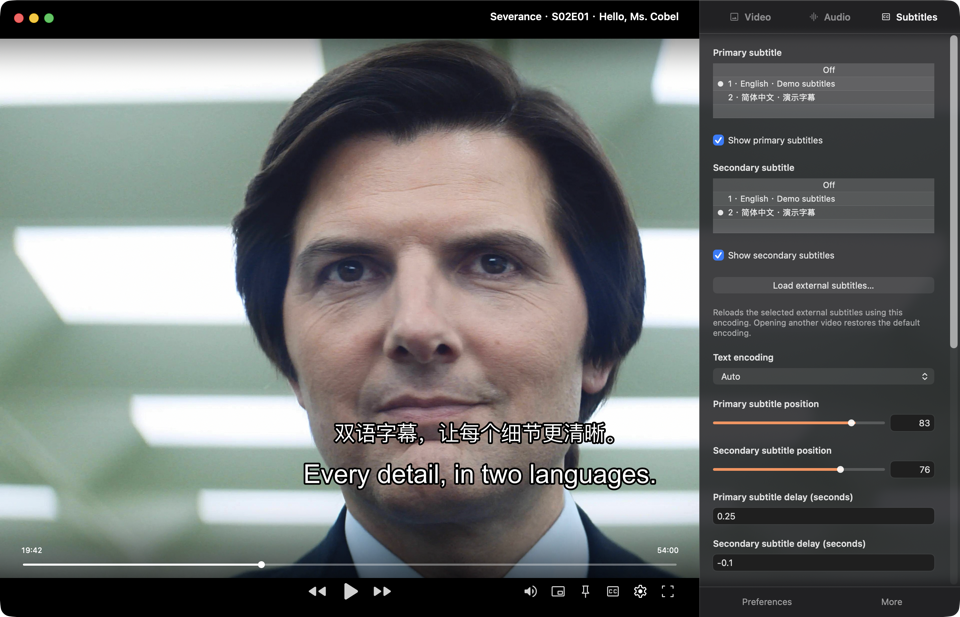
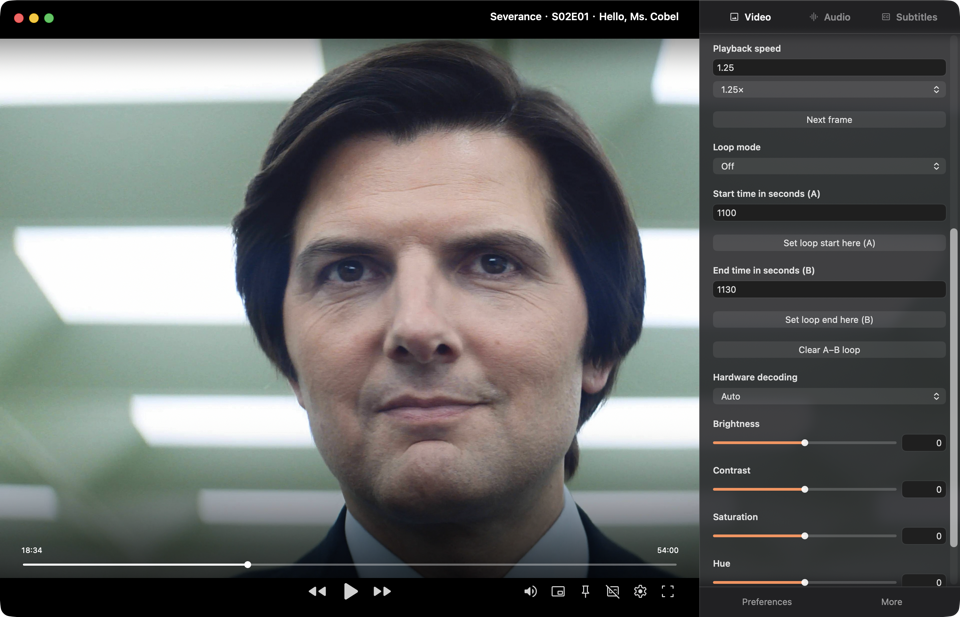
Dual subtitles, audio track switching, playback speed controls, A–B repeat, system picture-in-picture, and resume playback make everyday viewing and precise playback control easier.
Available in five interface languages, with support for media and playlists from Inscura.
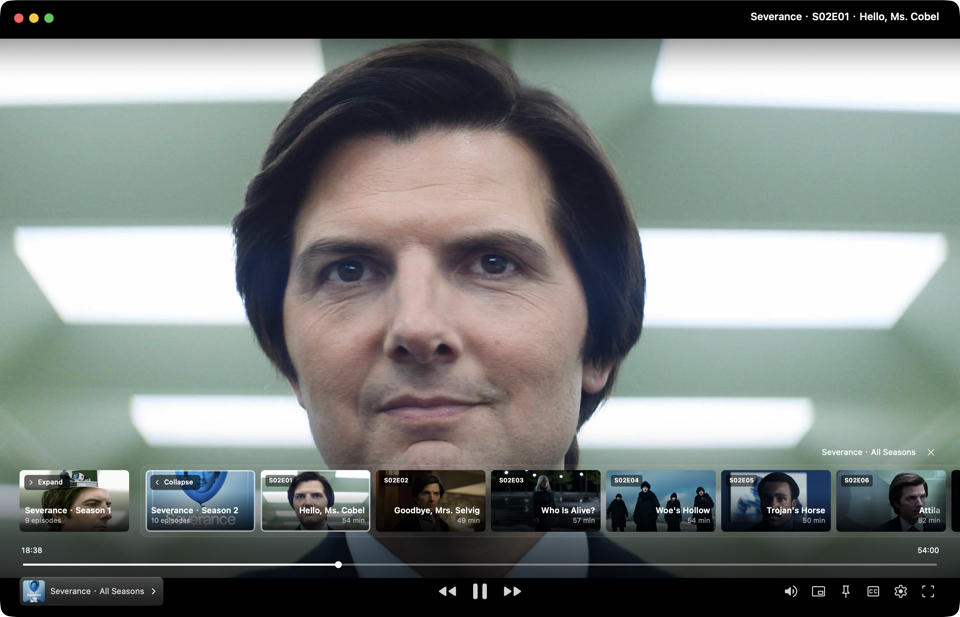
TV playback and playlists
Dual subtitles, your way
Set your own playback pace
AI semantic search
Search your library for similar scenes using a natural language description or a reference image. Each result shows the source video, a matching frame, and a timestamp, so you can quickly assess its relevance and jump to that moment in a compatible player.
Included with a paid license. Before your first search, download the AI search components and index your videos. Indexing and search run locally on your computer.
Start your scene search
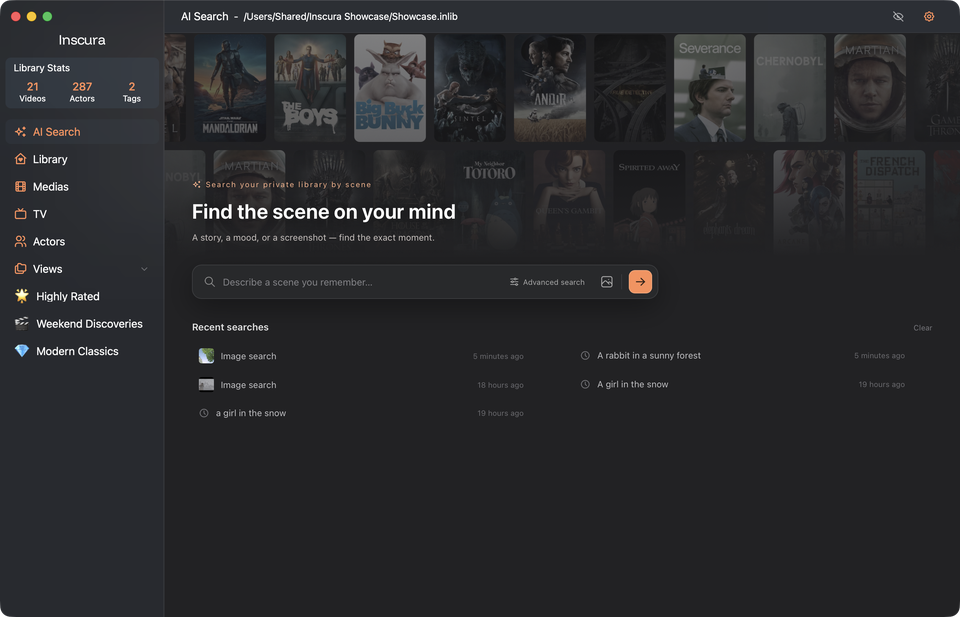
Describe a scene
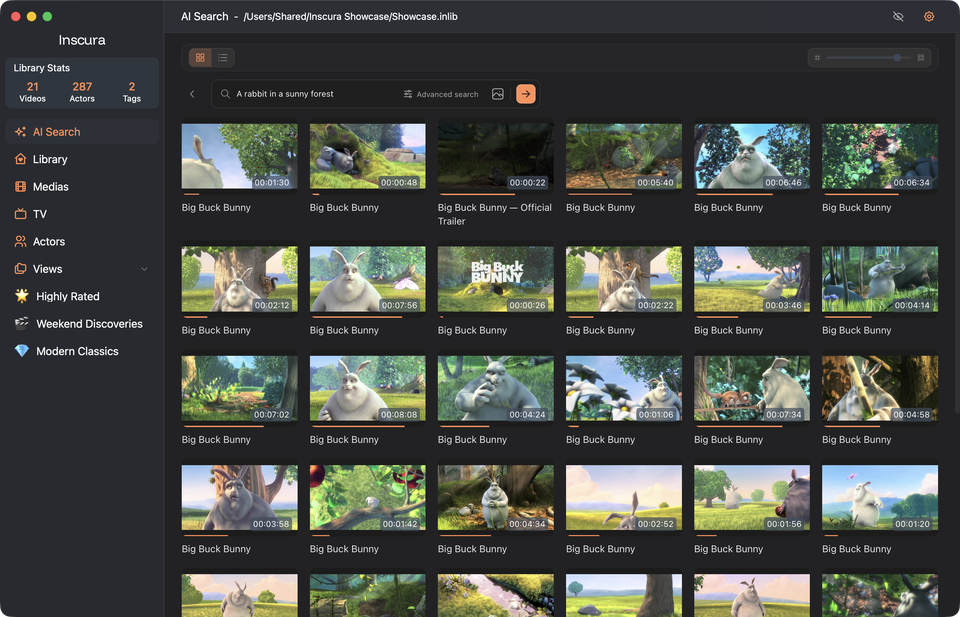
Open the moment
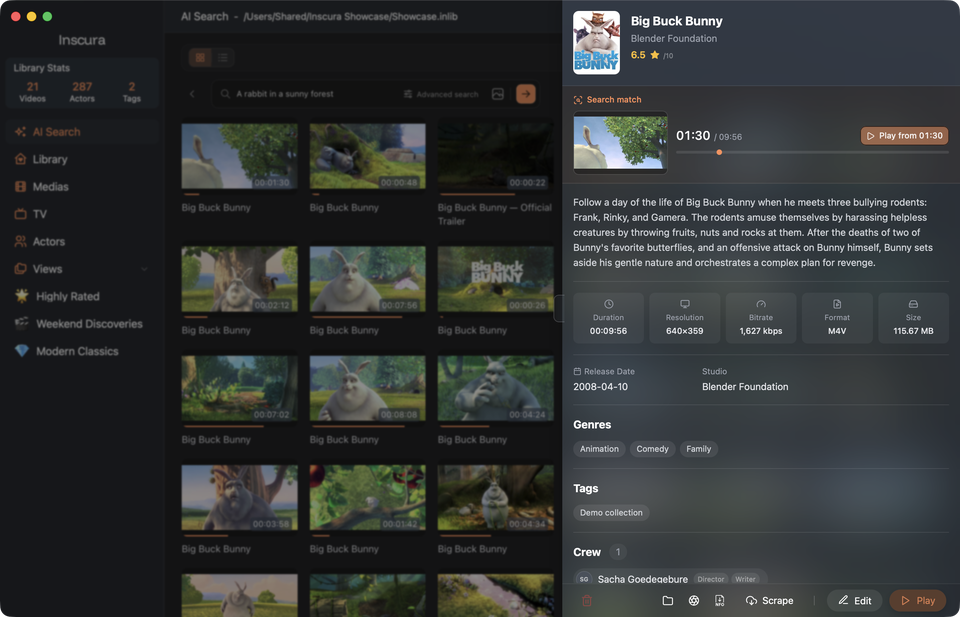
Your collection, your way
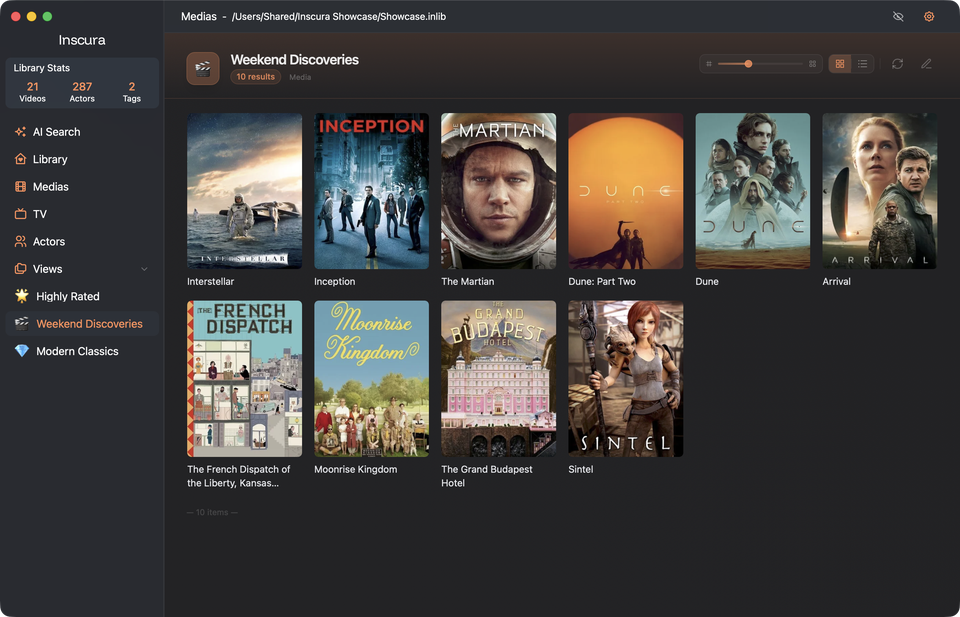
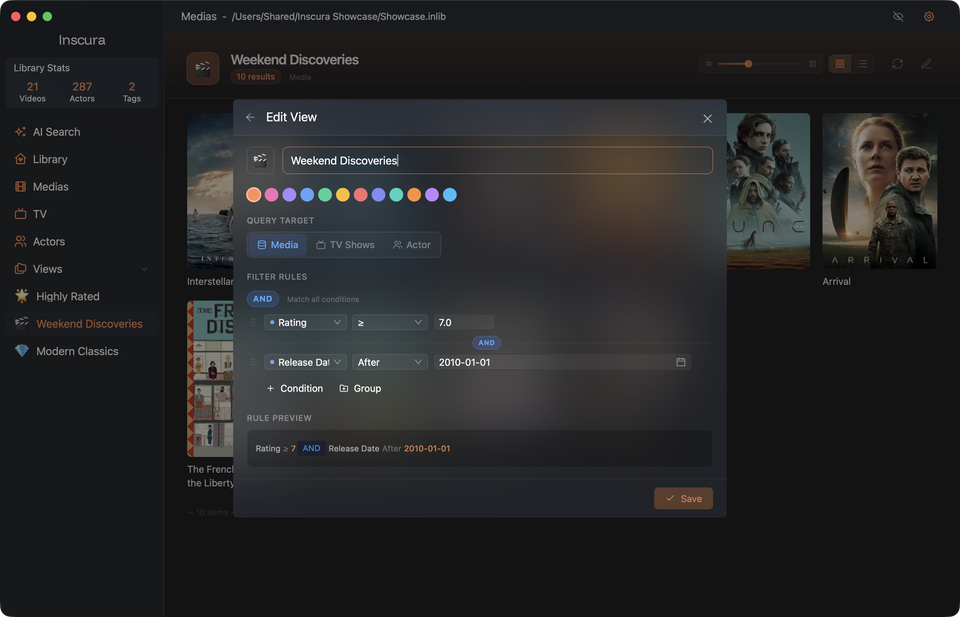
Build your own lists of top-rated films, weekend shorts, or favorite series with tags and collections. Set conditions for genre, rating, release date, or runtime, and smart collections gather matching titles from your library. New additions that match join automatically.
This collection brings together titles rated 7 or higher and released after 2010. Set the conditions once, and it keeps itself up to date.
Your TV collection
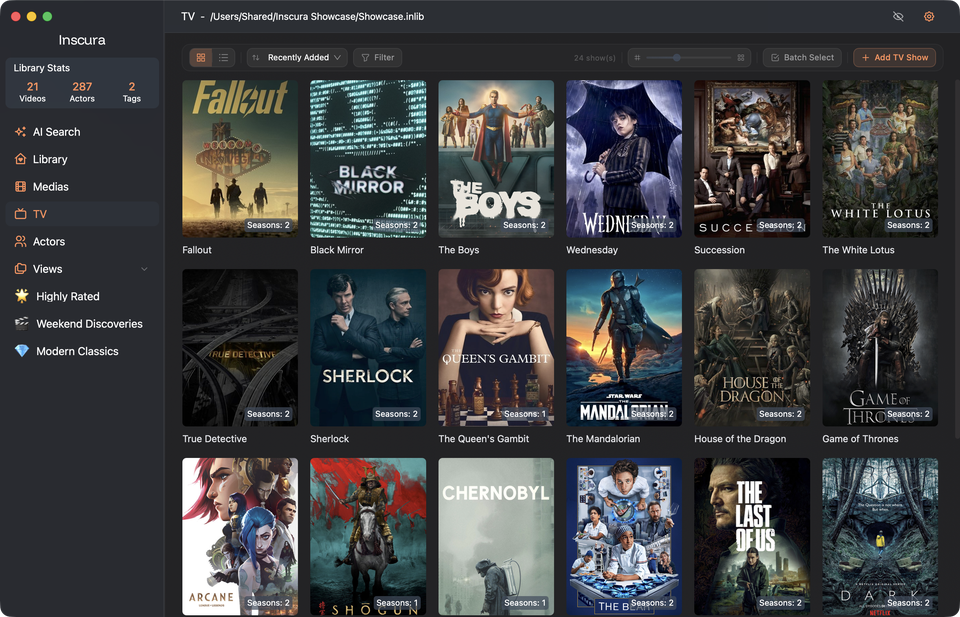
The collection
How it is organized
RECOMMENDED PLUGINS
Choose the data sources you need to add posters, ratings, episode guides and cast and crew details for movies and TV shows.
More plugins on the way

Bring anime titles, episode guides, posters, ratings and the people behind each production into your library. Powered by Bangumi’s community database.
AI Agent Skills
Turn an API or an idea into an Inscura scraper plugin. Let your AI agent build it, then bring movies, TV shows, and people into your library.
Pick an example and make it yours. A service name, API docs, or sample responses are enough to get started.
Copy the prompt into your agent. It generates the plugin and settings, validates them, and packages a ZIP for you.
Go to Settings → Plugins → Install from ZIP. Fill in the settings, enable the plugin to test the connection, then select it for your library or search.
Please read SKILL.md at https://github.com/InscuraApp/inscura-scraper-skill and follow its workflow to generate an installable Inscura scraper plugin for me. Handle tool setup, plugin generation, practical settings, validation, and packaging yourself; do not ask me to run commands. You may ask once, briefly, whether I want recommended settings or advanced options. If I have already stated my preferences or asked you to generate it directly, follow those preferences or the recommended defaults without asking again. Leave secrets for me to enter in Inscura myself.
Replace example addresses with your own. Enter API keys later in the plugin settings.
Pricing
All paid plans include the same features and a permanent desktop license. Choose how many computers you want to activate.
Start organizing your collection.
Free
No payment required
Included in Free
For your everyday computer.
$29.90
USD · one-time payment1
For a few computers of your own.
$69.90
USD · one-time payment1
For your larger setup.
$99.90
USD · one-time payment1
Try it for 14 days. Not for you? Get a full refund—no questions asked.
Scene search requires an initial component download and time to prepare your videos. You can deactivate a computer before activating another within your license limit.
FAQ
Never. Inscura is read-only. It scans your files to identify titles, then stores all metadata in its own database. Your originals remain exactly as they are — filenames, folders, permissions, everything.
Inscura supports all major video containers: MKV, MP4, AVI, MOV, WMV, M4V, and more. If your media player can open it, Inscura can scan it.
Inscura is built for scale. Libraries with 20,000+ titles perform smoothly. The cover wall is GPU-accelerated and handles tens of thousands of items without breaking a sweat.
Only for the initial metadata fetch and cover downloads. Once your library is populated, Inscura is fully offline. Your data never leaves your machine.
Inscura Cloud has not launched and is not currently available for paid purchase. Solo, Trio, and Studio include one free year of Inscura Cloud, starting when Inscura Cloud officially launches. The gift will not automatically convert to a paid subscription. Your perpetual desktop license remains valid regardless of whether you use or later purchase Inscura Cloud. Any future paid offering will be announced separately.
Yes. You can deactivate a device and activate your license on a new one at any time, up to your plan’s device limit.
Have another question? Contact support
Changelog
Turn your carefully curated media world into a viewing experience you can enjoy anytime.
InscuraPlayer must be downloaded and installed first. Some advanced features require software activation.
Turn the collection scattered across your folders into a world of movies and videos worth exploring.
Some advanced features require software activation. AI search requires downloading a model and preparing search data before first use.